Never miss your nextalarmfriends meetupcalendar eventappointmentdeadlinecelebrationreminder
Timey is a loud, shareable alarm app for iPhone. Wake up, show up, and coordinate with friends for birthdays, classes, hikes, trips, sleep, and everything you don't want to miss.







Alarms that bring all of us together
Create personal alarms, invite friends, and see who is ready for your next plan.

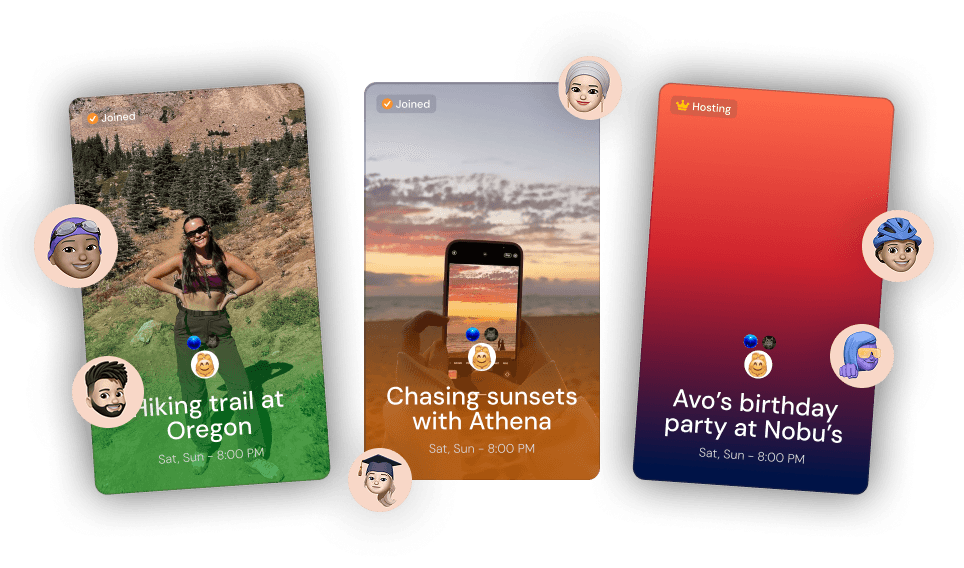
Unique curated alarms
Customize your alarm with a curated background or a photo of your own and share it on your social media. Bring more event to your life, built for people who believe in getting things done together.

Layla just joined the alarm
Chasing sunsets, 8:00PM. Sat, Sun
Join or invite anyone
You can add friends, family, or even strangers to your alarms across all devices by sharing your unique alarm invite link.


Waiting for you...
Yoona & Athena has swiped
See who confirms
Instantly check who is ready and accepts the alarm first across all members in the room with a unique swipe task that everyone can see.

Louder custom sounds
Personalize your alarms to your liking with themes and never miss a moment with custom sounds and powerful volume that hits louder than anything you've used before even in silent modes.

Pay to snooze
Optional pay-to-snooze to have friends and members inside your alarm pay you to snooze for when the stakes are too high and you can't have anyone be late or just have a fun challenge with yourself.
Timey Mobile app. Synced alarms everywhere.
Sync your alarms across all iOS devices with Timey with original members and your personalized settings. Works with Siri.


The best alarm app in existence
More than an alarm clock, Timey helps you show up for the moments and people that matter most. Create loud, beautiful alarms for trips, classes, birthdays, routines, and real life with friends.